Building an AI-powered Discord support bot with RAG and Claude
I'm on quite a few different community Slack and Discord servers, and I've noticed something, even with comprehensive documentation, people still struggle to find the answers they need. Maybe your API has evolved and the docs haven't quite caught up. Maybe the information is scattered across multiple pages. Or maybe users just want a quick answer without context switching to search through documentation.
The reality is that documentation can be hard to navigate, especially when you're deep in problem solving mode and just need a specific answer right now. Pinned messages get buried, search doesn't always surface the right content, and navigating between Discord and external docs breaks your flow.
What if your Discord server had a bot that could instantly answer questions about your product or service, backed by your actual documentation? Not some generic chatbot, but one that understands your specific context, can pull relevant information from multiple sources, and meets users right where they are? In your community Discord.
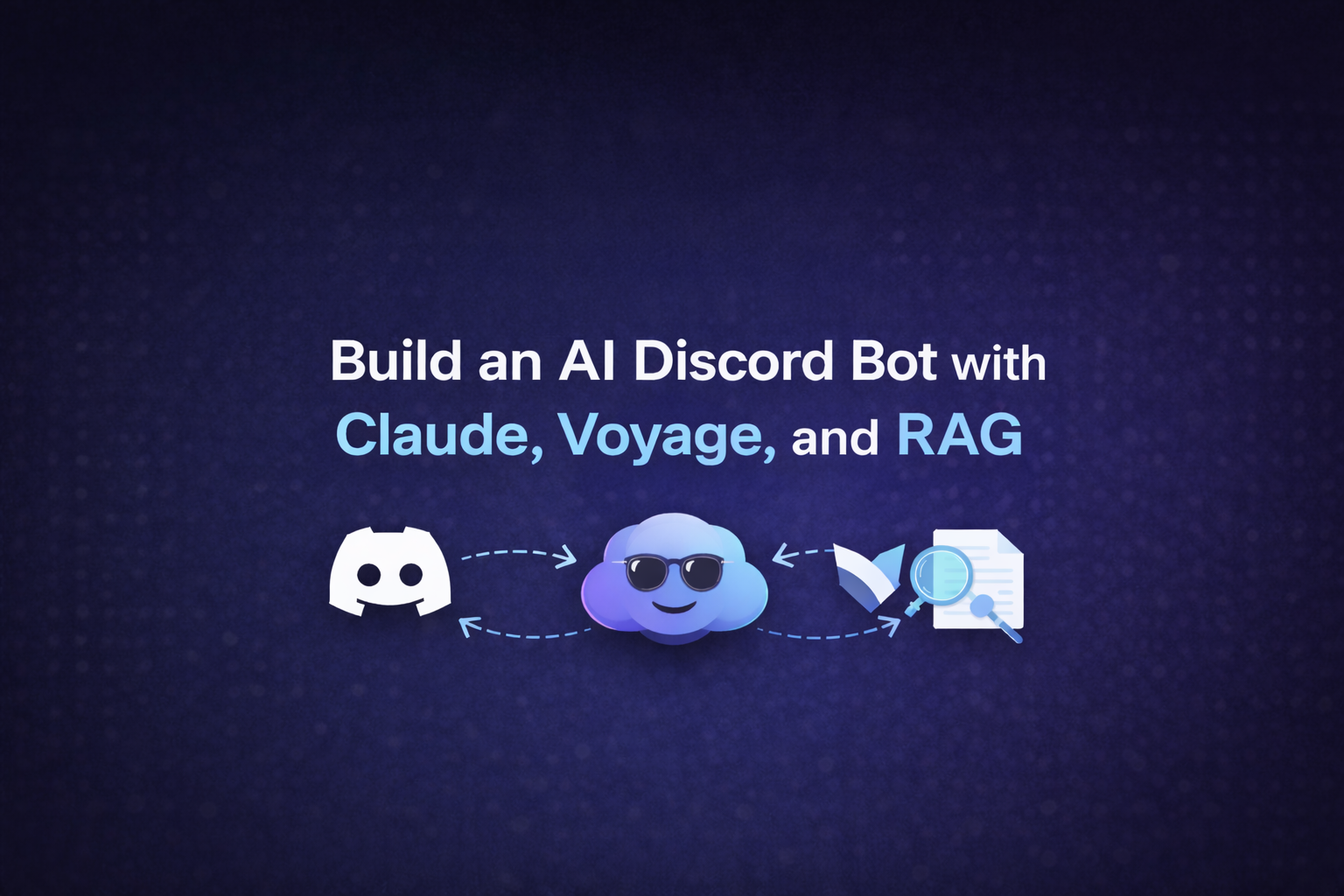
In this tutorial, I'll walk you through building exactly that, a Discord bot powered by Claude AI that uses RAG (Retrieval-Augmented Generation) to answer questions based on your documentation. The bot monitors forum style channels, maintains conversation context, and even collects feedback through reactions.
What are we building?
By the end of this tutorial, you'll have a fully functional Discord bot that:
- Monitors forum channels - Automatically detects new questions posted in Discord forums
- Searches your documentation - Uses vector embeddings to find relevant docs
- Responds intelligently - Claude AI formulates helpful answers based on context
- Maintains conversation history - Remembers previous messages in each thread
- Collects feedback - Users can react with 👍 or 👎 to rate answers
- Persists data - SQLite database stores conversations and feedback across restarts
Prerequisites
Before we begin, make sure you have:
- Node.js 18+ installed on your machine
- A Discord account with server admin permissions
- An Anthropic API key (for Claude AI)
- A Voyage AI API key (for embeddings)
- Your documentation available via XML sitemap or llms.txt format
- Git for version control (optional but recommended)
Getting started
We'll build this bot in three phases: first, we'll set up the Discord bot and get our API keys. Then, we'll build the core system including the RAG pipeline, Claude integration, and database layer. Finally, we'll test everything and prepare for deployment. Let's start by configuring Discord.
Set up your Discord bot
First, we need to create a bot in the Discord Developer Portal.
- Navigate to the Discord Developer Portal
- Click "New Application" and give your bot a memorable name (e.g., "DocBot")
- Navigate to the "Bot" section in the left sidebar
- Click "Add Bot" and confirm
Under "Privileged Gateway Intents", enable these critical permissions:
- ☑️ MESSAGE CONTENT INTENT
- ☑️ GUILD MESSAGES
- ☑️ GUILD MESSAGE REACTIONS
Click "Reset Token" and copy your bot token. Keep this secret! You'll need it shortly.
Also, grab your Application ID from the "General Information" section—we'll use it to invite the bot to your server.
Invite the bot to your server
Now let's generate an invite URL for your bot.
- Go to "OAuth2" > "URL Generator" in the Developer Portal
- Select the following scopes:
bot
- Select these bot permissions:
- Send Messages
- Send Messages in Threads
- Read Message History
- Add Reactions (for the feedback feature)
- Copy the generated URL at the bottom
- Open the URL in your browser and select your server
Your bot should now appear in your server's member list (offline for now).
Get your API keys
You'll need API keys from two services: Anthropic for Claude AI and Voyage AI for generating embeddings.
Anthropic API key
- Sign up at Anthropic
- Navigate to your API Keys page
- Click "Create Key" and copy your API key
Note: Claude API usage is pay-as-you-go. The Sonnet 4.5 model costs $3 per million input tokens and $15 per million output tokens.
Voyage AI API key
- Sign up at Voyage AI
- Create a new API key in your dashboard
- Copy the key for later use
Voyage AI provides the vector embeddings that power our documentation search. The free tier is generous enough for most use cases.
Initialise your project
Let's set up our Node.js project structure.
mkdir ask-ai-discord-bot
cd ask-ai-discord-bot
npm init -y
Install the required dependencies:
npm install discord.js @anthropic-ai/sdk voyageai axios cheerio better-sqlite3 dotenv @modelcontextprotocol/sdk
Install development dependencies:
npm install --save-dev typescript tsx @types/node @types/better-sqlite3
Initialise TypeScript configuration:
npx tsc --init
This generates a tsconfig.json file. Update it with these key settings:
{
  "compilerOptions": {
    "target": "ES2022",
    "module": "commonjs",
    "lib": ["ES2022"],
    "outDir": "./dist",
    "rootDir": "./src",
    "strict": true,
    "esModuleInterop": true,
    "skipLibCheck": true,
    "forceConsistentCasingInFileNames": true,
    "resolveJsonModule": true
  },
  "include": ["src/**/*"],
  "exclude": ["node_modules"]
}
Add npm scripts to your package.json for running and building the bot:
{
  "scripts": {
    "dev": "tsx src/index.ts",
    "build": "tsc",
    "start": "node dist/index.js"
  }
}
These scripts provide convenient commands: npm run dev for development with hot reloading via tsx, npm run build to compile TypeScript to JavaScript, and npm start to run the compiled code in production.
Configure environment variables
Create a .env file in your project root:
# Discord Bot configuration
DISCORD_TOKEN=your_discord_bot_token_here

# Anthropic Claude API configuration
ANTHROPIC_API_KEY=your_anthropic_api_key_here

# Voyage AI configuration
VOYAGE_API_KEY=your_voyage_ai_api_key_here

# Documentation source (XML sitemap or llms.txt)
DOCS_SITEMAP_URL=https://docs.yourcompany.com/sitemap.xml

# Optional configuration
FORUM_CHANNEL_NAME=ask-ai
CLAUDE_MODEL=claude-sonnet-4-5-20250929
MAX_TOKENS=4096
CACHE_TTL=24h
Replace the placeholder values with your actual API keys and documentation URL.
Important: Never commit your
.envfile to version control. Add it to.gitignoreimmediately.
Building the core system
Now that we have our project initialised and configured, let's build the core components. We'll create modules for configuration, the RAG system, Claude integration, database persistence, and utility functions. Each piece works together to power our intelligent Discord bot.
Create the config file
Create src/config.ts to centralise environment variable loading:
import * as dotenv from 'dotenv';

dotenv.config();

export const config = {
  // Discord Configuration
  discordToken: process.env.DISCORD_TOKEN!,
  forumChannelName: process.env.FORUM_CHANNEL_NAME || 'ask-ai',

  // Anthropic Configuration
  anthropicApiKey: process.env.ANTHROPIC_API_KEY!,
  claudeModel: process.env.CLAUDE_MODEL || 'claude-sonnet-4-5-20250929',
  maxTokens: parseInt(process.env.MAX_TOKENS || '4096'),

  // Voyage AI Configuration
  voyageApiKey: process.env.VOYAGE_API_KEY!,

  // Documentation Configuration
  docsSitemapUrl: process.env.DOCS_SITEMAP_URL!,
  cacheTTL: process.env.CACHE_TTL || '24h',

  // Cost Tracking (optional)
  inputTokenCost: parseFloat(process.env.INPUT_TOKEN_COST || '3.0'),
  outputTokenCost: parseFloat(process.env.OUTPUT_TOKEN_COST || '15.0'),
};

// Validate required configuration
const requiredVars = ['discordToken', 'anthropicApiKey', 'voyageApiKey', 'docsSitemapUrl'];
for (const varName of requiredVars) {
  if (!config[varName as keyof typeof config]) {
    throw new Error(`Missing required environment variable: ${varName}`);
  }
}
This config file serves as the single source of truth for all bot settings. It uses dotenv to load variables from your .env file, provides sensible defaults for optional settings (like cache TTL and token limits), and includes validation logic that throws an error if critical configuration is missing. Ensuring you catch configuration issues immediately rather than encountering mysterious errors later. The exported config object can be imported anywhere in your codebase, making it easy to access settings consistently.
Build the RAG system
The RAG system is complex, so we'll build it piece by piece. Create a new file src/mcp.ts and start with imports and type definitions:
import axios from 'axios';
import * as cheerio from 'cheerio';
import { VoyageAIClient } from 'voyageai';
import * as fs from 'fs';
import * as path from 'path';
import { config } from './config';

const voyageClient = new VoyageAIClient({ apiKey: config.voyageApiKey });

interface DocumentChunk {
  url: string;
  title: string;
  content: string;
  embedding?: number[];
}

interface VectorCache {
  documents: DocumentChunk[];
  timestamp: number;
  ttl: number;
}

const CACHE_FILE = path.join(process.cwd(), '.vector-cache.json');
These interfaces define our data structures: DocumentChunk represents a piece of documentation with its embedding, and VectorCache stores the cached embeddings with a timestamp for expiry checking.
Now add the cache management functions to the same file:
// Parse TTL string (e.g., "24h", "7d") to milliseconds
function parseTTL(ttl: string): number {
  const match = ttl.match(/^(\d+)([hdm])$/);
  if (!match) return 24 * 60 * 60 * 1000; // Default: 24 hours

  const value = parseInt(match[1]);
  const unit = match[2];

  switch (unit) {
    case 'd': return value * 24 * 60 * 60 * 1000;
    case 'h': return value * 60 * 60 * 1000;
    case 'm': return value * 60 * 1000;
    default: return 24 * 60 * 60 * 1000;
  }
}

// Load cached embeddings from disk
function loadCache(): VectorCache | null {
  try {
    if (!fs.existsSync(CACHE_FILE)) return null;

    const data = fs.readFileSync(CACHE_FILE, 'utf-8');
    const cache: VectorCache = JSON.parse(data);

    const now = Date.now();
    const age = now - cache.timestamp;

    if (age > cache.ttl) {
      console.log('Cache expired, will fetch fresh documentation');
      return null;
    }

    console.log(`Loaded ${cache.documents.length} cached documents`);
    return cache;
  } catch (error) {
    console.error('Error loading cache:', error);
    return null;
  }
}

// Save embeddings to disk
function saveCache(documents: DocumentChunk[]): void {
  const cache: VectorCache = {
    documents,
    timestamp: Date.now(),
    ttl: parseTTL(config.cacheTTL),
  };

  fs.writeFileSync(CACHE_FILE, JSON.stringify(cache, null, 2));
  console.log(`Cached ${documents.length} documents`);
}
These three functions handle caching: parseTTL converts time strings like "24h" to milliseconds, loadCache retrieves and validates cached embeddings, and saveCache persists them to disk. This avoids regenerating expensive embeddings on every restart.
Next, add the documentation fetching function:
// Fetch documentation from sitemap
async function fetchDocumentation(): Promise<DocumentChunk[]> {
  console.log('Fetching documentation from:', config.docsSitemapUrl);

  const response = await axios.get(config.docsSitemapUrl);
  const $ = cheerio.load(response.data, { xmlMode: true });

  const urls: string[] = [];
  $('url > loc').each((_, elem) => {
    urls.push($(elem).text());
  });

  console.log(`Found ${urls.length} URLs in sitemap`);

  const documents: DocumentChunk[] = [];

  for (const url of urls.slice(0, 100)) { // Limit for demo
    try {
      const pageResponse = await axios.get(url);
      const page$ = cheerio.load(pageResponse.data);

      // Extract title and content
      const title = page$('title').text() || page$('h1').first().text();

      // Remove script tags, style tags, and navigation
      page$('script, style, nav, footer, header').remove();

      const content = page$('body').text()
        .replace(/\s+/g, ' ')
        .trim()
        .substring(0, 2000); // Limit content length

      if (content.length > 50) { // Ensure minimum content
        documents.push({ url, title, content });
      }
    } catch (error) {
      console.error(`Error fetching ${url}:`, error);
    }
  }

  console.log(`Successfully fetched ${documents.length} documents`);
  return documents;
}
This function crawls your sitemap, fetches each page, and extracts clean text using Cheerio. It removes navigation, scripts, and styles, keeping only meaningful content limited to 2000 characters per document.
Now add the embedding generation function:
// Generate embeddings for all documents
async function generateEmbeddings(documents: DocumentChunk[]): Promise<DocumentChunk[]> {
  console.log('Generating embeddings...');

  const texts = documents.map(doc => `${doc.title}\n\n${doc.content}`);

  const response = await voyageClient.embed({
    input: texts,
    model: 'voyage-3',
  });

  documents.forEach((doc, i) => {
    doc.embedding = response.data[i].embedding;
  });

  console.log('Embeddings generated successfully');
  return documents;
}
This function converts documentation into vector embeddings using Voyage AI's voyage-3 model. It batches all documents in a single API call for efficiency, then attaches the embeddings to each document object.
Add the similarity calculation and search functions:
// Calculate cosine similarity between two vectors
function cosineSimilarity(a: number[], b: number[]): number {
  const dotProduct = a.reduce((sum, val, i) => sum + val * b[i], 0);
  const magnitudeA = Math.sqrt(a.reduce((sum, val) => sum + val * val, 0));
  const magnitudeB = Math.sqrt(b.reduce((sum, val) => sum + val * val, 0));
  return dotProduct / (magnitudeA * magnitudeB);
}

let cachedDocuments: DocumentChunk[] = [];

// Initialize the RAG system
export async function initializeRAG(): Promise<void> {
  const cache = loadCache();

  if (cache) {
    cachedDocuments = cache.documents;
    return;
  }

  const documents = await fetchDocumentation();
  cachedDocuments = await generateEmbeddings(documents);
  saveCache(cachedDocuments);
}

// Search documentation for relevant chunks
export async function searchDocumentation(query: string): Promise<DocumentChunk[]> {
  if (cachedDocuments.length === 0) {
    throw new Error('RAG system not initialized');
  }

  // Generate embedding for the query
  const queryResponse = await voyageClient.embed({
    input: [query],
    model: 'voyage-3',
  });

  const queryEmbedding = queryResponse.data[0].embedding;

  // Calculate similarities
  const results = cachedDocuments
    .map(doc => ({
      ...doc,
      similarity: cosineSimilarity(queryEmbedding, doc.embedding!),
    }))
    .sort((a, b) => b.similarity - a.similarity)
    .slice(0, 5); // Return top 5 results

  console.log(`Found ${results.length} relevant documents for query`);
  return results;
}
The cosineSimilarity function calculates how similar two vectors are (ranging from 0 to 1). The initializeRAG function either loads cached embeddings or generates fresh ones. The searchDocumentation function takes a user query, converts it to an embedding, and returns the top 5 most similar documents.
This RAG system finds conceptually similar content, not just keyword matches. If someone asks "How do I log in?" it will find documentation about authentication, sign-in flows, and credential management, even if those exact words aren't used.
Integrate Claude AI
Create src/claude.ts to handle Claude API interactions:
import Anthropic from '@anthropic-ai/sdk';
import { config } from './config';
import { searchDocumentation } from './mcp';

const anthropic = new Anthropic({ apiKey: config.anthropicApiKey });

export interface Message {
  role: 'user' | 'assistant';
  content: string;
}

export interface ClaudeResponse {
  text: string;
  usage: {
    input_tokens: number;
    output_tokens: number;
  };
}

export async function askClaude(
  userMessage: string,
  conversationHistory: Message[] = []
): Promise<ClaudeResponse> {
  const messages: Anthropic.MessageParam[] = [
    ...conversationHistory.map(msg => ({
      role: msg.role,
      content: msg.content,
    })),
    {
      role: 'user' as const,
      content: userMessage,
    },
  ];

  const response = await anthropic.messages.create({
    model: config.claudeModel,
    max_tokens: config.maxTokens,
    tools: [
      {
        name: 'search_docs',
        description: 'Search through documentation to find relevant information. Use this when users ask questions about the product, features, or how to do something.',
        input_schema: {
          type: 'object',
          properties: {
            query: {
              type: 'string',
              description: 'The search query to find relevant documentation',
            },
          },
          required: ['query'],
        },
      },
    ],
    messages,
  });

  // Handle tool use
  if (response.stop_reason === 'tool_use') {
    const toolUse = response.content.find(
      (block): block is Anthropic.ToolUseBlock => block.type === 'tool_use'
    );

    if (toolUse && toolUse.name === 'search_docs') {
      const query = (toolUse.input as { query: string }).query;
      console.log(`Claude is searching docs for: "${query}"`);

      const docs = await searchDocumentation(query);
      const docsContext = docs
        .map(doc => `[${doc.title}](${doc.url})\n${doc.content}`)
        .join('\n\n---\n\n');

      // Continue conversation with tool result
      const finalResponse = await anthropic.messages.create({
        model: config.claudeModel,
        max_tokens: config.maxTokens,
        messages: [
          ...messages,
          {
            role: 'assistant',
            content: response.content,
          },
          {
            role: 'user',
            content: [
              {
                type: 'tool_result',
                tool_use_id: toolUse.id,
                content: docsContext,
              },
            ],
          },
        ],
      });

      const textContent = finalResponse.content.find(
        (block): block is Anthropic.TextBlock => block.type === 'text'
      );

      return {
        text: textContent?.text || 'I apologize, but I encountered an error.',
        usage: {
          input_tokens: response.usage.input_tokens + finalResponse.usage.input_tokens,
          output_tokens: response.usage.output_tokens + finalResponse.usage.output_tokens,
        },
      };
    }
  }

  // No tool use - return direct response
  const textContent = response.content.find(
    (block): block is Anthropic.TextBlock => block.type === 'text'
  );

  return {
    text: textContent?.text || 'I apologize, but I encountered an error.',
    usage: response.usage,
  };
}
This module implements the bridge between Claude AI and our RAG system using Claude's tool use feature.
- Initial Request: The
askClaude()function sends the user's message along with conversation history to Claude. We define asearch_docstool that Claude can invoke when it needs documentation. - Tool Use Decision: Claude's reasoning determines whether it needs to search documentation. For questions about your product, it invokes the tool. For general conversation or follow-ups that don't need new context, it responds directly.
- Documentation Retrieval: When Claude uses the
search_docstool, we capture the query it generates (often rephrased for better search results), call oursearchDocumentation()function, and format the results as markdown with titles and URLs. - Final Response: We send the documentation back to Claude as a tool result, and it synthesizes this information into a natural, helpful answer. Claude can reference multiple docs, compare information, and provide specific guidance based on what it found.
- Token Tracking: The function returns both the response text and token usage, allowing you to monitor costs. The usage combines tokens from both API calls (the initial request and the follow-up with tool results).
This two-step process ensures Claude always has the right context to answer questions accurately while keeping responses natural and conversational.
Create the database layer
The database layer handles two main responsibilities: storing conversation history and tracking feedback. We'll build it in sections. Create src/db.ts and start with imports and interfaces:
import Database from 'better-sqlite3';
import * as path from 'path';
import { Message as ClaudeMessage } from './claude';

interface ConversationRow {
  thread_id: string;
  messages: string;
  updated_at: number;
}

interface BotMessageRow {
  message_id: string;
  thread_id: string;
  response_id: string;
  chunk_index: number;
  is_last_chunk: number;
  message_type: 'text' | 'attachment';
  content: string | null;
  created_at: number;
}

interface ReactionFeedbackRow {
  id: number;
  message_id: string;
  thread_id: string;
  user_id: string;
  emoji: string;
  action: 'add' | 'remove';
  conversation_snapshot: string;
  created_at: number;
}
These interfaces define the database row structures. Now add the ConversationDB class:
export class ConversationDB {
  private db: Database.Database;
  public feedback: FeedbackDB;

  constructor(dbPath?: string) {
    const finalPath = dbPath || path.join(process.cwd(), 'conversations.db');
    this.db = new Database(finalPath);
    this.initializeSchema();
    this.feedback = new FeedbackDB(this.db);
  }

  private initializeSchema() {
    this.db.exec(`
      CREATE TABLE IF NOT EXISTS conversations (
        thread_id TEXT PRIMARY KEY,
        messages TEXT NOT NULL,
        updated_at INTEGER NOT NULL
      );

      CREATE INDEX IF NOT EXISTS idx_updated_at ON conversations(updated_at);
    `);
  }

  saveConversation(threadId: string, messages: ClaudeMessage[]): void {
    const stmt = this.db.prepare(`
      INSERT OR REPLACE INTO conversations (thread_id, messages, updated_at)
      VALUES (?, ?, ?)
    `);

    stmt.run(threadId, JSON.stringify(messages), Date.now());
  }

  getConversation(threadId: string): ClaudeMessage[] | null {
    const stmt = this.db.prepare(`
      SELECT messages FROM conversations WHERE thread_id = ?
    `);

    const row = stmt.get(threadId) as ConversationRow | undefined;

    if (!row) return null;

    try {
      return JSON.parse(row.messages) as ClaudeMessage[];
    } catch (error) {
      console.error(`Failed to parse conversation for thread ${threadId}:`, error);
      return null;
    }
  }

  getAllThreadIds(): string[] {
    const stmt = this.db.prepare(`
      SELECT thread_id FROM conversations ORDER BY updated_at DESC
    `);
    const rows = stmt.all() as Array<{ thread_id: string }>;
    return rows.map(row => row.thread_id);
  }

  close(): void {
    this.db.close();
  }
}
The ConversationDB class manages conversation history. It creates a table for storing messages as JSON, provides methods to save and retrieve conversations, and loads all thread IDs for restoration on startup.
Now add the FeedbackDB class to the same file:
export class FeedbackDB {
  private db: Database.Database;

  constructor(db: Database.Database) {
    this.db = db;
    this.initializeSchema();
  }

  private initializeSchema() {
    this.db.exec(`
      CREATE TABLE IF NOT EXISTS bot_messages (
        message_id TEXT PRIMARY KEY,
        thread_id TEXT NOT NULL,
        response_id TEXT NOT NULL,
        chunk_index INTEGER NOT NULL,
        is_last_chunk INTEGER NOT NULL,
        message_type TEXT NOT NULL,
        content TEXT,
        created_at INTEGER NOT NULL,
        FOREIGN KEY (thread_id) REFERENCES conversations(thread_id) ON DELETE CASCADE
      );

      CREATE INDEX IF NOT EXISTS idx_bot_messages_thread ON bot_messages(thread_id);
      CREATE INDEX IF NOT EXISTS idx_bot_messages_response ON bot_messages(response_id);

      CREATE TABLE IF NOT EXISTS reaction_feedback (
        id INTEGER PRIMARY KEY AUTOINCREMENT,
        message_id TEXT NOT NULL,
        thread_id TEXT NOT NULL,
        user_id TEXT NOT NULL,
        emoji TEXT NOT NULL,
        action TEXT NOT NULL,
        conversation_snapshot TEXT NOT NULL,
        created_at INTEGER NOT NULL,
        FOREIGN KEY (message_id) REFERENCES bot_messages(message_id) ON DELETE CASCADE
      );

      CREATE INDEX IF NOT EXISTS idx_feedback_message ON reaction_feedback(message_id);
      CREATE INDEX IF NOT EXISTS idx_feedback_user ON reaction_feedback(user_id);
    `);
  }

  saveBotMessage(messageData: {
    messageId: string;
    threadId: string;
    responseId: string;
    chunkIndex: number;
    isLastChunk: boolean;
    messageType: 'text' | 'attachment';
    content?: string;
  }): void {
    const stmt = this.db.prepare(`
      INSERT INTO bot_messages (message_id, thread_id, response_id, chunk_index, is_last_chunk, message_type, content, created_at)
      VALUES (?, ?, ?, ?, ?, ?, ?, ?)
    `);

    stmt.run(
      messageData.messageId,
      messageData.threadId,
      messageData.responseId,
      messageData.chunkIndex,
      messageData.isLastChunk ? 1 : 0,
      messageData.messageType,
      messageData.content || null,
      Date.now()
    );
  }

  getBotMessage(messageId: string): BotMessageRow | null {
    const stmt = this.db.prepare(`
      SELECT * FROM bot_messages WHERE message_id = ?
    `);
    return stmt.get(messageId) as BotMessageRow | null;
  }

  saveReactionFeedback(feedbackData: {
    messageId: string;
    threadId: string;
    userId: string;
    emoji: string;
    action: 'add' | 'remove';
    conversationSnapshot: ClaudeMessage[];
  }): void {
    const stmt = this.db.prepare(`
      INSERT INTO reaction_feedback (message_id, thread_id, user_id, emoji, action, conversation_snapshot, created_at)
      VALUES (?, ?, ?, ?, ?, ?, ?)
    `);

    stmt.run(
      feedbackData.messageId,
      feedbackData.threadId,
      feedbackData.userId,
      feedbackData.emoji,
      feedbackData.action,
      JSON.stringify(feedbackData.conversationSnapshot),
      Date.now()
    );
  }

  getThreadFeedback(threadId: string): ReactionFeedbackRow[] {
    const stmt = this.db.prepare(`
      SELECT * FROM reaction_feedback WHERE thread_id = ? ORDER BY created_at DESC
    `);
    return stmt.all(threadId) as ReactionFeedbackRow[];
  }
}

export const conversationDB = new ConversationDB();
The FeedbackDB class tracks bot messages and user reactions. It stores each message chunk with metadata, saves reaction events with conversation snapshots, and provides methods to query feedback. This lets you analyse which responses are helpful and where documentation needs improvement.
Finally, export a singleton instance that will be used throughout the application. The SQLite approach keeps things simple - no separate database server required, and backups are as easy as copying the .db file.
Build utility functions
Create src/utils.ts for message formatting:
// Split long messages to fit Discord's 2000 character limit
export function splitMessage(text: string, maxLength: number = 2000): string[] {
  if (text.length <= maxLength) return [text];

  const chunks: string[] = [];
  let currentChunk = '';

  const lines = text.split('\n');

  for (const line of lines) {
    if (currentChunk.length + line.length + 1 > maxLength) {
      if (currentChunk) chunks.push(currentChunk.trim());
      currentChunk = line + '\n';
    } else {
      currentChunk += line + '\n';
    }
  }

  if (currentChunk) chunks.push(currentChunk.trim());

  return chunks;
}

// Extract large code blocks and convert to attachments
export function extractLargeCodeBlocks(text: string): {
  text: string;
  codeFiles: Array<{ filename: string; content: string }>;
} {
  const codeBlockRegex = /```(\w+)?\n([\s\S]+?)```/g;
  const codeFiles: Array<{ filename: string; content: string }> = [];
  let processedText = text;

  let match;
  let fileIndex = 1;

  while ((match = codeBlockRegex.exec(text)) !== null) {
    const language = match[1] || 'txt';
    const code = match[2];

    if (code.length > 1000) {
      const filename = `code-${fileIndex}.${language}`;
      codeFiles.push({ filename, content: code });

      processedText = processedText.replace(
        match[0],
        `\n*(See attached file: ${filename})*\n`
      );

      fileIndex++;
    }
  }

  return { text: processedText, codeFiles };
}
These utility functions solve common Discord formatting challenges:
Message Splitting (splitMessage):
Discord has a hard limit of 2000 characters per message. When Claude generates longer responses, we need to split them intelligently. This function splits on line boundaries rather than mid-sentence, keeping the reading experience natural. Each chunk is sent as a separate message, but they appear in sequence to form the complete response.
Code Block Extraction (extractLargeCodeBlocks):
When Claude includes code examples, especially longer ones, they can make messages unwieldy. This function detects code blocks over 1000 characters, extracts them into separate files (with proper file extensions based on the language), and replaces them with a note like "(See attached file: code-1.js)". Users can then download the code directly, which is much more convenient for copying into their projects.
These utilities run on every bot response, ensuring that no matter what Claude generates, it's formatted appropriately for Discord's constraints while maintaining the best possible user experience.
Create the Discord bot
This is the largest file, so we'll build it in sections. Create src/bot.ts and start with imports and the class structure:
import {
  Client,
  GatewayIntentBits,
  Events,
  ThreadChannel,
  Message as DiscordMessage,
  ChannelType,
  AttachmentBuilder,
  MessageReaction,
  PartialMessageReaction,
  User,
  PartialUser,
} from 'discord.js';
import { randomUUID } from 'crypto';
import { config } from './config';
import { askClaude, Message as ClaudeMessage } from './claude';
import { splitMessage, extractLargeCodeBlocks } from './utils';
import { conversationDB } from './db';

export class DiscordBot {
  private client: Client;
  private threadConversations: Map<string, ClaudeMessage[]> = new Map();
  private userLastMessageTime: Map<string, number> = new Map();
  private readonly RATE_LIMIT_MS = 3000;
  private readonly THUMBS_UP = '👍';
  private readonly THUMBS_DOWN = '👎';
  private readonly ALLOWED_REACTIONS = [this.THUMBS_UP, this.THUMBS_DOWN];

  constructor() {
    this.client = new Client({
      intents: [
        GatewayIntentBits.Guilds,
        GatewayIntentBits.GuildMessages,
        GatewayIntentBits.MessageContent,
        GatewayIntentBits.GuildMessageReactions,
      ],
    });

    this.setupEventHandlers();
    this.loadConversationsFromDB();
  }

  private loadConversationsFromDB() {
    const threadIds = conversationDB.getAllThreadIds();
    for (const threadId of threadIds) {
      const messages = conversationDB.getConversation(threadId);
      if (messages) {
        this.threadConversations.set(threadId, messages);
      }
    }
    console.log(`Loaded ${this.threadConversations.size} conversation(s) from database`);
  }

  private setupEventHandlers() {
    this.client.once(Events.ClientReady, (client) => {
      console.log(`Bot is ready! Logged in as ${client.user.tag}`);
      console.log(`Monitoring forum channel: #${config.forumChannelName}`);
    });

    this.client.on(Events.ThreadCreate, async (thread) => {
      await this.handleNewForumPost(thread);
    });

    this.client.on(Events.MessageCreate, async (message) => {
      await this.handleThreadMessage(message);
    });

    this.client.on(Events.MessageReactionAdd, async (reaction, user) => {
      await this.handleReaction(reaction, user, 'add');
    });

    this.client.on(Events.MessageReactionRemove, async (reaction, user) => {
      await this.handleReaction(reaction, user, 'remove');
    });
  }
The class maintains in-memory maps for conversations and rate limiting. The constructor sets up the Discord client with necessary intents (permissions) and loads existing conversations from the database. The event handlers wire up Discord events to our handler methods.
Now add the forum post handler method to the same file:
  private async handleNewForumPost(thread: ThreadChannel) {
    if (thread.parent?.type !== ChannelType.GuildForum) return;
    if (thread.parent.name !== config.forumChannelName) return;

    try {
      const starterMessage = await thread.fetchStarterMessage();
      if (!starterMessage || starterMessage.author.bot) return;

      // Rate limiting
      const userId = starterMessage.author.id;
      const now = Date.now();
      const lastMessageTime = this.userLastMessageTime.get(userId) || 0;

      if (now - lastMessageTime < this.RATE_LIMIT_MS) {
        const waitTime = Math.ceil((this.RATE_LIMIT_MS - (now - lastMessageTime)) / 1000);
        await thread.send(`Please wait ${waitTime} more second(s) before asking another question.`);
        return;
      }

      this.userLastMessageTime.set(userId, now);

      const question = starterMessage.content;
      if (!question) return;

      console.log(`New forum post: "${thread.name}"`);
      await thread.sendTyping();

      const response = await askClaude(question);

      const conversation: ClaudeMessage[] = [
        { role: 'user', content: question },
        { role: 'assistant', content: response.text },
      ];

      this.threadConversations.set(thread.id, conversation);
      conversationDB.saveConversation(thread.id, conversation);

      // Send response and track for feedback
      const responseId = randomUUID();
      const processed = extractLargeCodeBlocks(response.text);
      const messageChunks = splitMessage(processed.text);

      const lastChunkIndex = messageChunks.length - 1;

      for (let i = 0; i < messageChunks.length; i++) {
        const sentMessage = await thread.send(messageChunks[i]);

        conversationDB.feedback.saveBotMessage({
          messageId: sentMessage.id,
          threadId: thread.id,
          responseId,
          chunkIndex: i,
          isLastChunk: i === lastChunkIndex && processed.codeFiles.length === 0,
          messageType: 'text',
          content: messageChunks[i],
        });

        if (i === lastChunkIndex && processed.codeFiles.length === 0) {
          await this.addReactionsToMessage(sentMessage);
        }
      }

      if (processed.codeFiles.length > 0) {
        const attachments = processed.codeFiles.map(file =>
          new AttachmentBuilder(Buffer.from(file.content, 'utf-8'), {
            name: file.filename,
          })
        );
        const attachmentMessage = await thread.send({ files: attachments });

        conversationDB.feedback.saveBotMessage({
          messageId: attachmentMessage.id,
          threadId: thread.id,
          responseId,
          chunkIndex: messageChunks.length,
          isLastChunk: true,
          messageType: 'attachment',
        });

        await this.addReactionsToMessage(attachmentMessage);
      }
    } catch (error) {
      console.error('Error handling forum post:', error);
      await thread.send('Sorry, there was an error processing your question.');
    }
  }
This method handles new forum posts. It validates the thread is in the correct forum, applies rate limiting, gets Claude's response, saves the conversation, and sends the response as one or more messages with reaction buttons on the last chunk.
Add the thread message handler:
  private async handleThreadMessage(message: DiscordMessage) {
    if (message.author.bot) return;
    if (!message.channel.isThread()) return;
    if (message.channel.parent?.type !== ChannelType.GuildForum) return;
    if (message.channel.parent.name !== config.forumChannelName) return;

    const thread = message.channel as ThreadChannel;
    if (message.id === thread.id) return; // Skip starter message

    const conversationHistory = this.threadConversations.get(thread.id);
    if (!conversationHistory) {
      await message.reply("I don't have context for this conversation. Please start a new post!");
      return;
    }

    try {
      await message.channel.sendTyping();

      const response = await askClaude(message.content, conversationHistory);

      conversationHistory.push(
        { role: 'user', content: message.content },
        { role: 'assistant', content: response.text }
      );

      this.threadConversations.set(thread.id, conversationHistory);
      conversationDB.saveConversation(thread.id, conversationHistory);

      // Send and track response
      const responseId = randomUUID();
      const processed = extractLargeCodeBlocks(response.text);
      const messageChunks = splitMessage(processed.text);

      for (let i = 0; i < messageChunks.length; i++) {
        const sentMessage = i === 0
          ? await message.reply(messageChunks[i])
          : await message.channel.send(messageChunks[i]);

        conversationDB.feedback.saveBotMessage({
          messageId: sentMessage.id,
          threadId: thread.id,
          responseId,
          chunkIndex: i,
          isLastChunk: i === messageChunks.length - 1 && processed.codeFiles.length === 0,
          messageType: 'text',
          content: messageChunks[i],
        });

        if (i === messageChunks.length - 1 && processed.codeFiles.length === 0) {
          await this.addReactionsToMessage(sentMessage);
        }
      }

      if (processed.codeFiles.length > 0) {
        const attachments = processed.codeFiles.map(file =>
          new AttachmentBuilder(Buffer.from(file.content, 'utf-8'), { name: file.filename })
        );
        const attachmentMessage = await message.channel.send({ files: attachments });

        conversationDB.feedback.saveBotMessage({
          messageId: attachmentMessage.id,
          threadId: thread.id,
          responseId,
          chunkIndex: messageChunks.length,
          isLastChunk: true,
          messageType: 'attachment',
        });

        await this.addReactionsToMessage(attachmentMessage);
      }
    } catch (error) {
      console.error('Error handling thread message:', error);
      await message.reply('Sorry, there was an error processing your message.');
    }
  }
This method handles follow-up messages in existing threads. It loads conversation history, gets Claude's response with context, updates the conversation, and sends the reply with feedback buttons.
Add the reaction handler and helper methods:
  private async handleReaction(
    reaction: MessageReaction | PartialMessageReaction,
    user: User | PartialUser,
    action: 'add' | 'remove'
  ) {
    try {
      if (reaction.partial) await reaction.fetch();
      if (user.partial) await user.fetch();
      if (user.bot) return;

      const emoji = reaction.emoji.name;
      if (!emoji || !this.ALLOWED_REACTIONS.includes(emoji)) return;

      const messageId = reaction.message.id;
      const botMessage = conversationDB.feedback.getBotMessage(messageId);

      if (!botMessage || !botMessage.is_last_chunk) return;

      const threadId = botMessage.thread_id;
      let conversationSnapshot = this.threadConversations.get(threadId);

      if (!conversationSnapshot) {
        const loaded = conversationDB.getConversation(threadId);
        if (!loaded) return;
        conversationSnapshot = loaded;
      }

      conversationDB.feedback.saveReactionFeedback({
        messageId,
        threadId,
        userId: user.id,
        emoji,
        action,
        conversationSnapshot,
      });

      console.log(`Feedback: ${user.tag} ${action}ed ${emoji} on message ${messageId}`);
    } catch (error) {
      console.error('Error handling reaction:', error);
    }
  }

  private async addReactionsToMessage(message: DiscordMessage) {
    try {
      if ('send' in message.channel) {
        await message.channel.send('*Did this answer your question?*');
      }

      await message.react(this.THUMBS_UP);
      await message.react(this.THUMBS_DOWN);
    } catch (error) {
      console.error(`Failed to add reactions to message ${message.id}:`, error);
    }
  }

  async start() {
    await this.client.login(config.discordToken);
  }
}
These final methods handle feedback and start the bot. handleReaction captures user reactions, validates them, and saves feedback with conversation snapshots. addReactionsToMessage adds thumbs up/down buttons to bot responses. The start method logs the bot into Discord.
The complete DiscordBot class orchestrates all components:
Class Structure & Initialization:
The DiscordBot class maintains in-memory maps for conversation history and rate limiting. It configures the Discord.js client with the necessary intents (permissions to read messages, reactions, and guild data) and loads any existing conversations from the database on startup.
Event Handling:
ThreadCreate: Fires when someone creates a new forum post. We check if it's in our monitored forum, extract the question, and generate a response.MessageCreate: Handles replies within existing threads, maintaining conversation context.MessageReactionAdd/Remove: Captures user feedback when they react to bot messages.
Rate Limiting: The 3-second rate limit prevents spam and API cost overruns. It tracks the last message time per user and politely asks them to wait if they're posting too quickly.
Response Flow (handleNewForumPost and handleThreadMessage):
- Validate the message (ignore bots, check correct channel)
- Apply rate limiting
- Show typing indicator (gives users feedback that the bot is working)
- Call Claude with the question and any conversation history
- Process the response (split long messages, extract code blocks)
- Send messages sequentially and track each one in the database
- Add reaction buttons to the final message for feedback
Feedback System (handleReaction):
When a user reacts to a bot message, we verify it's a 👍 or 👎 on a tracked message, then save the feedback along with a snapshot of the conversation. This context is crucial - it tells you exactly what exchange led to positive or negative feedback.
Message Tracking:
Every bot response gets a unique responseId. If we split a response into multiple messages or attachments, they all share this ID but have different chunk indices. Only the final chunk gets reaction buttons, preventing duplicate feedback.
The bot's architecture ensures robust operation - conversation state survives restarts, rate limits protect your API budget, and comprehensive feedback tracking helps you continuously improve.
Create the entry point
Finally, create src/index.ts:
import { DiscordBot } from './bot';
import { initializeRAG } from './mcp';

async function main() {
  console.log('Starting Discord AI Bot...');

  try {
    // Initialize RAG system (fetch docs and generate embeddings)
    console.log('Initializing RAG system...');
    await initializeRAG();
    console.log('RAG system ready!');

    // Start Discord bot
    const bot = new DiscordBot();
    await bot.start();

    console.log('Bot is now running!');
  } catch (error) {
    console.error('Failed to start bot:', error);
    process.exit(1);
  }
}

main();
Testing Your Bot
With all the code in place, it's time to see your bot in action. We'll create a forum channel in Discord, start the bot locally, and test its ability to answer questions using your documentation.
Create a forum channel
In your Discord server:
- Click the "+" button next to your channel list
- Select "Forum" as the channel type
- Name it
ask-ai(or whatever you configured in.env) - Set appropriate permissions for your community
Start the bot
Run the bot in development mode:
npm run dev
You should see output like:
Starting Discord AI Bot...
Initializing RAG system...
Fetching documentation from: https://docs.yourcompany.com/sitemap.xml
Found 47 URLs in sitemap
Successfully fetched 42 documents
Generating embeddings...
Embeddings generated successfully
Cached 42 documents
RAG system ready!
Loaded 0 conversation(s) from database
Bot is ready! Logged in as YourBot#1234
Monitoring forum channel: #ask-ai
Bot is now running!
Test the bot
Create a new post in your #ask-ai forum:
Title: "How do I authenticate users?"
Content: "I'm building a web application and need to implement user authentication. What's the recommended approach?"
The bot should:
- Respond within a few seconds
- Use the
search_docstool to find relevant documentation - Provide an answer based on your docs
- Add 👍 and 👎 reactions for feedback
Try having a conversation:
- Reply to the bot's answer with a follow-up question
- The bot maintains context and references previous messages
- Each response gets tracked with reaction buttons
Analysing feedback
One of the most valuable features of this bot is the feedback system. Every thumbs up or thumbs down gives you insight into which responses are helpful and where your documentation might need improvement. Let's explore how to query this data.
Querying feedback data
You can analyse user feedback using SQL queries on conversations.db:
sqlite3 conversations.db
Overall sentiment:
SELECT emoji, COUNT(*) as count
FROM reaction_feedback
WHERE action = 'add'
GROUP BY emoji;
Feedback by thread:
SELECT thread_id, emoji, COUNT(*) as reactions
FROM reaction_feedback
WHERE action = 'add'
GROUP BY thread_id, emoji;
Conversations with negative feedback:
SELECT DISTINCT thread_id
FROM reaction_feedback
WHERE emoji = '👎' AND action = 'add';
This data helps you understand:
- Which responses are most helpful
- Where your documentation might be lacking
- Common question patterns
Resources
Here are some helpful resources to deepen your understanding of the technologies used in this tutorial and to help you extend your bot further:
- Discord.js Documentation
- Anthropic Claude API Docs
- Voyage AI Documentation
- SQLite Documentation
- TypeScript Handbook
Conclusion
You've now built a fully-featured AI support bot that combines Discord, Claude AI, and RAG to provide intelligent, context-aware answers based on your documentation. The bot monitors forum channels, maintains conversation history, and collects valuable feedback through reactions.
The RAG system ensures responses are grounded in your actual documentation, while Claude's advanced reasoning provides natural, helpful answers. The SQLite database preserves all conversations and feedback, giving you insights into what your community needs.
This foundation can be extended in countless ways—from multi-language support to integration with ticketing systems. The feedback data you collect will help improve both your documentation and your bot's responses over time.
Happy building!